JSON path finder
About JSON Path Finder
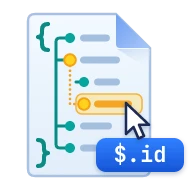
This JSON path finder shows the path to any value in a JSON document. Paste JSON, click a key or value in the tree, and copy its path in five syntaxes: JSONPath, JavaScript, Python, jq and JSON Pointer.
Deep API responses are where hand-written paths go wrong: one missed array index or a key with a space or a dash, and the code returns undefined. Clicking the value removes the guesswork. Keys that are not plain identifiers get the quoted bracket form each syntax needs.
Search to filter the list by key name or value, then copy every matching path at once. Everything runs in your browser. Your JSON is not uploaded.
How it works
Click a node, copy its path
Every key, array item and value in the tree is clickable. The panel above the tree shows the selected path in all five syntaxes, each with its own copy button, plus the value's type and a preview.
Five syntaxes, written correctly
JSONPath uses dot notation ($.items[0].sku) and RFC 9535 bracket quotes for other keys ($['first name']). JavaScript uses data.items[0] or data["first-name"]. Python always uses brackets: data["items"][0]. jq writes .items[0] or .["first name"]. JSON Pointer (RFC 6901) writes /items/0/sku and escapes ~ and / as ~0 and ~1.
Search keys and values
Type in the search bar to keep only the paths whose key name, array index or value contains the text, ignoring case. The list shows how many paths match out of the total, and Copy output copies the filtered list with one path and value per line, separated by a tab.
Values only, or every node
By default the list holds the paths to values: strings, numbers, booleans and null. Switch List to All nodes to include the objects and arrays too, which is useful when you need the path to a whole sub-object or array.
Frequently asked questions
How do I find the path of a key in JSON?
Paste the JSON, then click the key or its value in the tree. The path appears above the tree in JSONPath, JavaScript, Python, jq and JSON Pointer form. If you only know the key name, type it in the search bar to list every place it occurs.
What is the difference between this and the JSONPath tester?
The path finder goes from a value to its path: you click the data and get the expression. The JSONPath tester goes the other way: you write an expression, including wildcards and filters, and see which values it matches.
Why does the path use brackets instead of dots for some keys?
Dot notation only works for keys that look like identifiers. A key with a space, a dash or a leading digit, such as "first-name", must be quoted in brackets: data["first-name"] in JavaScript, $['first-name'] in JSONPath and .["first-name"] in jq.
What does data mean at the start of the JavaScript and Python paths?
It stands for the variable that holds the parsed JSON. Replace data with your own variable name, such as response or payload.
Are array indexes zero-based?
Yes. The first item of an array is [0] in JSONPath, JavaScript, Python and jq, and /0 in JSON Pointer, matching how every one of those languages counts.
Is my JSON uploaded?
No. Parsing, the tree and the path list are all built in your browser, and the tool works offline once the page has loaded.
Sources & last verified
We checked this tool's behavior and the claims on this page against the specifications below on . The tool runs in your browser, so the output you see is exactly what the engine produced. How we build and verify tools.
Last verified · Next review due
Found a wrong result or an outdated claim? Report an error and we will check it again.
 JSONPath Tester
 JSON Viewer
 jq Tester
 JSON Graph Viewer
 Regex Tester
 JMESPath Tester