JSON to JSONL converter
About JSON ⇄ JSONL
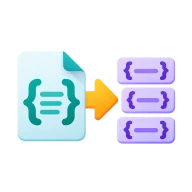
The JSON to JSONL converter turns a JSON array into JSONL, also called NDJSON or newline-delimited JSON. Each element becomes one minified JSON document on its own line. Swap the direction to parse JSONL back into a pretty-printed JSON array.
Use it to prepare OpenAI or other LLM fine-tuning files, stream records into BigQuery or Elasticsearch, or move data between an array and a line-per-record pipeline. Runs in your browser. Nothing is uploaded.
How it works
JSON to JSONL
Paste a JSON array and each element is written as one minified JSON document per line. A single non-array value, like an object, string or number, becomes one line.
JSONL to JSON
Swap the direction and paste JSONL. Each non-empty line is parsed on its own, and the results are collected into a JSON array with two-space indentation.
Blank lines and formatting
Blank lines are skipped when reading JSONL, so trailing newlines and gaps between records cause no errors. Each output line is compact JSON with no internal newlines, which is what JSONL readers expect.
Line-precise errors
If a line is not valid JSON, the converter stops and reports its line number and the parse error. Jump straight to the broken record in a large file.
Frequently asked questions
What is JSONL / NDJSON?
JSONL (JSON Lines), also called NDJSON (newline-delimited JSON), puts one complete JSON document on each line. Logs, data streams and machine-learning datasets use it because a program can process one record at a time without loading the whole file.
How do I convert JSON to JSONL for OpenAI fine-tuning?
Paste your JSON array of training examples, each an object with a messages array. The converter writes one example per line, which is the JSONL layout OpenAI fine-tuning expects. Save the result as a .jsonl file.
What is the difference between JSONL and JSON?
A JSON file is one document, usually an array or object that must be parsed as a whole. JSONL is many separate JSON documents, one per line, with no enclosing array and no commas between records. That makes it easy to stream and append to.
Is my data uploaded when I convert it?
No. The conversion runs in your browser, so datasets and fine-tuning files stay on your machine.
What happens to blank lines and invalid lines in my JSONL?
Blank lines are skipped. An invalid line stops the conversion with its line number and the parse error, so you can fix that record.
Sources & last verified
We checked this tool's behavior and the claims on this page against the specifications below on . The tool runs in your browser, so the output you see is exactly what the engine produced.
Found a wrong result or an outdated claim? Report an error and we will check it again.
 JSON5 / JSONC to JSON
 JSON ⇄ TOML
 Number Base Converter
 JSON to C#
 JSON to Kotlin
 JSON to Rust