JSON diff and compare
About JSON Diff / Compare
This JSON diff tool compares two JSON documents and shows the lines that were added or removed. Before comparing, it sorts the keys on both sides and pretty-prints them, so key order and formatting never show up as changes.
Use the Format picker to compare YAML, XML or TOML files the same way, by their parsed data instead of their text. The .env format compares development, staging and production variables by name and never shows the values.
Use it to review API changes, compare staging and production configs, or check that a migration kept the fields you expected. Every document stays in your browser. Nothing is uploaded.
How it works
Normalize, then compare
Each side is parsed, its object keys are sorted at every level, and the result is pretty-printed with 2-space indentation. The tool then runs a line diff on the two normalized texts. Whitespace and key order differences disappear before the comparison starts.
Reading the output
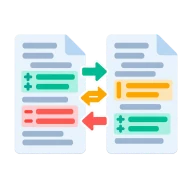
The output is a unified diff. Lines starting with + exist only in B, lines starting with - exist only in A, and unchanged lines give context. A changed value shows as a removed line followed by an added line.
Ignore array order
Arrays are compared in order by default, so a reordered list shows up as changes. Turn on Ignore array order to sort array items before comparing. Use it when order carries no meaning, like a list of roles or tags.
YAML and TOML by value
YAML is parsed with YAML 1.2 core rules and aliases are resolved, so comments, quoting style and flow or block notation do not count. TOML keeps its types: large integers stay exact and dates are compared as dates. Equal documents are reported as semantically equivalent.
XML by structure
XML documents must be well-formed. Indentation and attribute order are ignored, while element order and text count. Comments are ignored unless you turn Ignore comments off. Entities are never expanded and no external files are loaded.
Three .env files, no values
With .env, the panes take development, staging and production files. The report lists each variable name, which environments define it, and whether the values match. Values, hashes and lengths never appear. Filter the list to missing or changed keys.
Errors name the side
If either document fails to parse, the error says whether it came from A or B, with the line and column.
Frequently asked questions
How is this different from a plain text diff?
A plain text diff trips over indentation and key order. This tool normalizes both documents first, so the diff only shows real data differences.
Why is a reordered array showing as changes?
Array position matters by default. If order does not matter for your data, turn on Ignore array order.
Can I compare two YAML or TOML files?
Yes. Set Format to YAML or TOML. Both files are parsed and compared by value, so a key moved to another line or a changed comment does not show as a difference.
Can I compare two production payloads safely?
Yes. Both documents are compared in your browser and never uploaded.
Does it show nested changes?
Yes. Nested objects and arrays are pretty-printed line by line, so a change deep in the document shows up as its own line with the surrounding lines as context.
Can the .env comparison reveal a secret?
No. The report contains variable names, presence flags and a same or different status. It never includes values or fingerprints of values.
What if one side is invalid JSON?
Both documents must parse before they can be compared. The tool reports which side failed and where.
Learn more
Sources & last verified
We checked this tool's behavior and the claims on this page against the specifications below on . The tool runs in your browser, so the output you see is exactly what the engine produced.
- RFC 8259: The JSON Data Interchange Format
- YAML 1.2.2 specification
- W3C: Extensible Markup Language (XML) 1.0
- TOML v1.0.0 specification
- dotenv: .env file rules
Found a wrong result or an outdated claim? Report an error and we will check it again.
 JSON Schema Generator
 JSON Schema Validator
 JWT Decoder
 JSON Patch / Merge Patch
 JSON Size Analyzer
 Token Counter